
Thunder Client and Rentgen both belong in API development, but they do not belong in the same box. Thunder Client is a lightweight API client that lives inside your development environment. Rentgen is a local-first API hygiene scanner that takes a working request and checks what happens when that request becomes imperfect.
That difference matters. Thunder Client helps developers quickly send requests, debug endpoints, and verify behavior without leaving the editor. Rentgen steps in after the first request works, when the useful question changes from “does this endpoint respond?” to “what happens when the input is wrong, missing, oversized, malformed, or just slightly annoying?”
This is not a story about one tool replacing the other. It is a story about different jobs in the same workflow.
Thunder Client is close to the code
Thunder Client makes sense because developers spend a lot of time inside their IDE. When you are already writing code in VS Code or another editor, switching to a heavy external API platform can feel unnecessary. Sometimes you just want to call an endpoint, inspect the response, adjust a header, change a payload, and continue building.
That is where Thunder Client is useful. It keeps API work close to the code. You can create requests, organize them, use environments, add test assertions, and quickly check whether the backend behaves as expected during development.
This is practical work. A developer changes an endpoint, opens Thunder Client, sends the request, sees the response, fixes the issue, and moves on. Fast feedback matters, and tools that reduce context switching are valuable.
But a working request is still only one request
The limitation is not Thunder Client. The limitation is the nature of manual API checking. When you send one request, you learn about one scenario. If you add a few assertions, you learn about the cases you remembered to define. That can be enough for debugging, but it is not the same as understanding how the endpoint behaves under messy input.
Most API bugs do not require clever attackers or exotic conditions. They appear when a required field is missing, a string is too long, a number arrives as text, an enum has the wrong casing, whitespace is not trimmed, a token is invalid, or the payload is malformed. These are boring cases, which is exactly why they are often skipped.
Manual tools can test those cases, but only if someone creates them. And when teams are moving fast, nobody wants to manually build fifty versions of the same request just to check whether validation behaves like an adult.
Rentgen starts from the request that already works
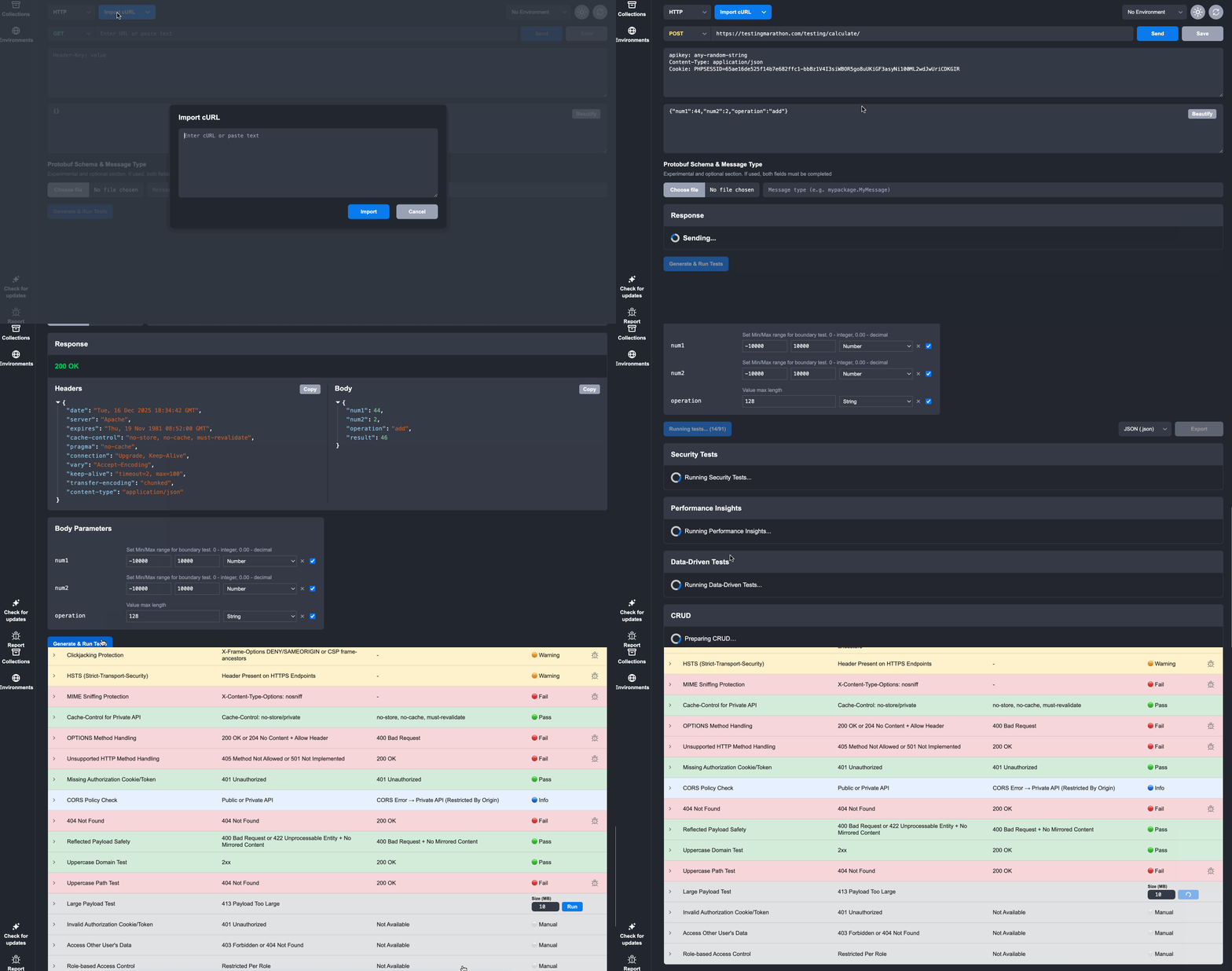
Rentgen does not ask you to rebuild your API workflow. It starts from the request you already have. You paste a cURL, and Rentgen expands it into a set of automatically generated tests: missing fields, invalid types, boundary values, whitespace checks, malformed payloads, method variations, headers, and other cases that expose backend assumptions quickly.
The goal is not to manage your everyday API work. Thunder Client is better for that. The goal is to run a fast local reality check before the endpoint is handed to QA, added to automation, or quietly shipped because one happy-path request returned 200.
Sometimes Rentgen will confirm that the API behaves well. Sometimes it will reveal inconsistent validation, unclear error responses, unexpected status codes, or backend crashes that should never happen. Either result is useful because it gives the team information before the bug becomes more expensive.
Different tools, different pressure
Thunder Client gives you direct control. You decide what to send, what to save, what to assert, and how to organize the request. It is ideal when you are building, debugging, and manually exploring an API from inside the development environment.
Rentgen applies pressure automatically. It assumes the first working request is not enough and asks what happens when the input stops being clean. It is less about convenience and more about exposing fragile behavior early.
That is the category separation. Thunder Client is an API client. Rentgen is an API hygiene scanner. One helps you work with the API. The other helps you find out what the API is not handling.
A workflow that makes sense
A practical workflow is simple. Use Thunder Client while developing the endpoint. Keep the request close to your code. Send it, debug it, refine it, save it, and add simple checks where they help.
Once the request works, export or copy it as cURL and run it through Rentgen. That is where the work changes from manual verification to automated edge-case discovery. Rentgen takes the same request and checks behavior you probably would not test by hand every time.
After that, the team can fix obvious issues early and decide which findings deserve proper long-term automation. This is much healthier than writing regression tests around assumptions that were never challenged.
No competition required
Thunder Client is useful because it makes API testing fast and accessible inside the editor. Rentgen is useful because it turns one working request into a broader reality check. These are not the same problem, and pretending they are creates a pointless comparison.
Use Thunder Client to build and debug. Use Rentgen to challenge the endpoint before you trust it. Same API lifecycle, different moments, different responsibilities.