
Clickjacking is one of those “not a bug” findings that people ignore because nothing crashes. And that’s exactly why it survives for months. Your API can be perfect — but if your web app can be silently framed, a user can be tricked into clicking real actions they never intended.
What was tested
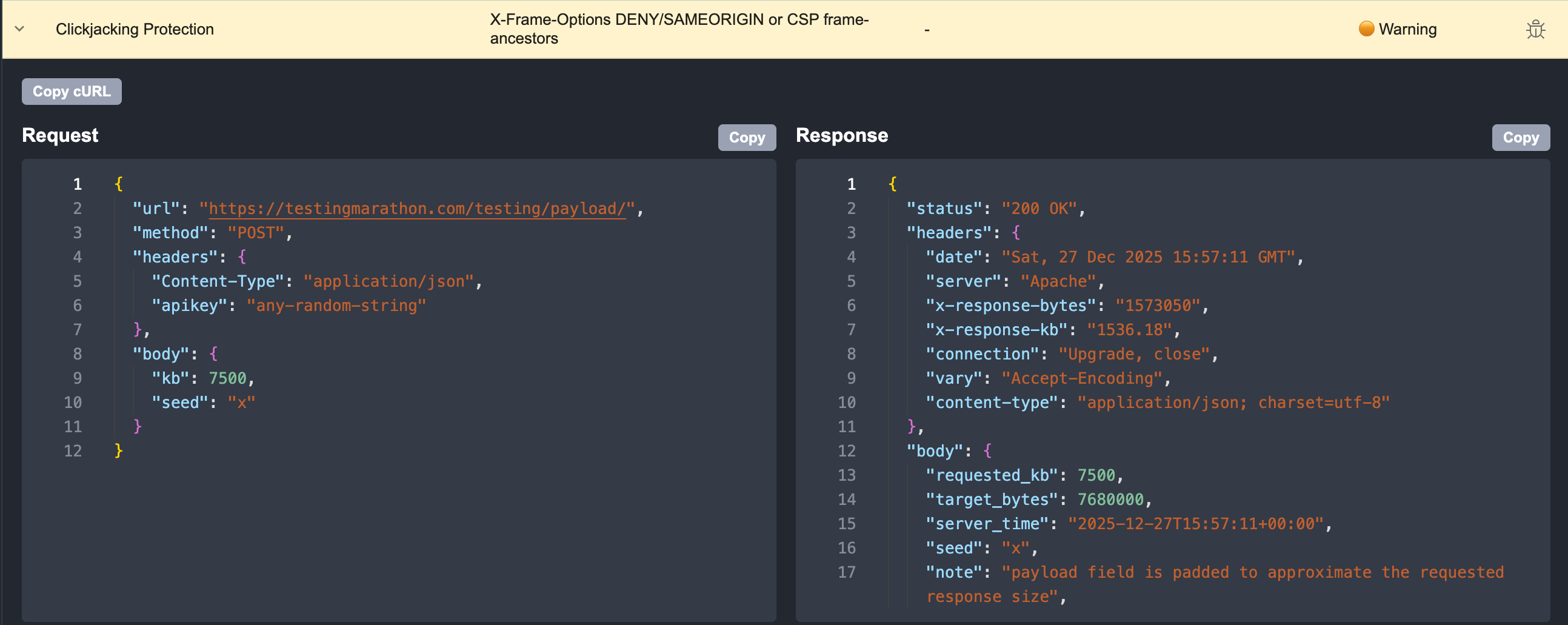
A normal web response where security headers should be present by default. Rentgen checks whether clickjacking protections are enabled via either X-Frame-Options or a modern Content-Security-Policy rule.
What Rentgen found
- Missing X-Frame-Options (DENY / SAMEORIGIN not set)
- Missing CSP frame-ancestors (no explicit framing policy)
- Result: the page can potentially be embedded and UI actions can be “clicked” through overlays
Why it’s a warning (not a bug)
This is not a functional defect. Your endpoints still behave correctly. It becomes a real problem only when a malicious site frames your app and tricks a real user into clicking something they can’t see — approvals, settings changes, payments, permissions. That’s why Rentgen marks it as 🟠 Warning: it’s a risk amplifier, not a crash.
When you should take it seriously
If your product has any user-driven actions with consequences — money, permissions, account settings, admin panels, internal tools — you should treat missing clickjacking protection as a real security gap. It’s especially relevant for fintech, government portals, and enterprise admin systems.
When it can be ignored
If the page is truly read-only, or your product is intentionally designed to be embedded (widgets, dashboards), you may accept this warning — but it should be a deliberate, documented decision. Otherwise, the default should be simple: don’t allow framing.
Final thoughts
People don’t forget hard security work. They forget simple headers. That’s why this check exists in Rentgen: to make clickjacking protection a default habit, not a once-a-year audit surprise.